Installing and configuring MongoDB
When installing MongoDB make sure the version is 5 or higher, recommended is MongoDB version 7.
Configuring the authentication for MongoDB can be done from the administration console, option 'Mongo Server Deployment'.
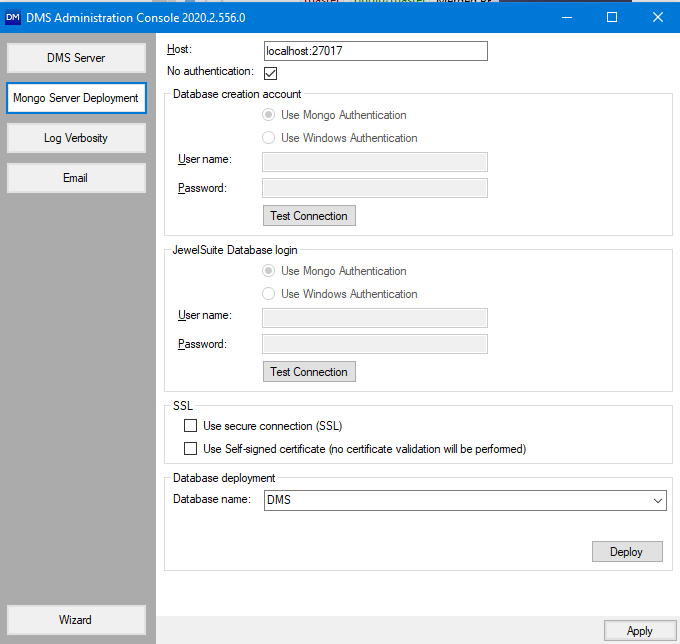
No authentication This option is typically used for test databases containing no sensitive information. You are able to create the database and all users able to connect to the MongoDB, are able to reach the stored data.
When you uncheck the box, authentication is enabled and two types of accounts must be selected:
- An account which will only be used for the database creation
- An account for accessing the database. There are two options, supported by DMS:
- A MongoDB user where username and password must be supplied
- Windows authentication (LDAP)
Configuring a secure way to access MongoDB
MongoDB also allows secure connections being made via SSL or a selfsigned certificate. If this is used, the appropriate checkboxes is enabled.